
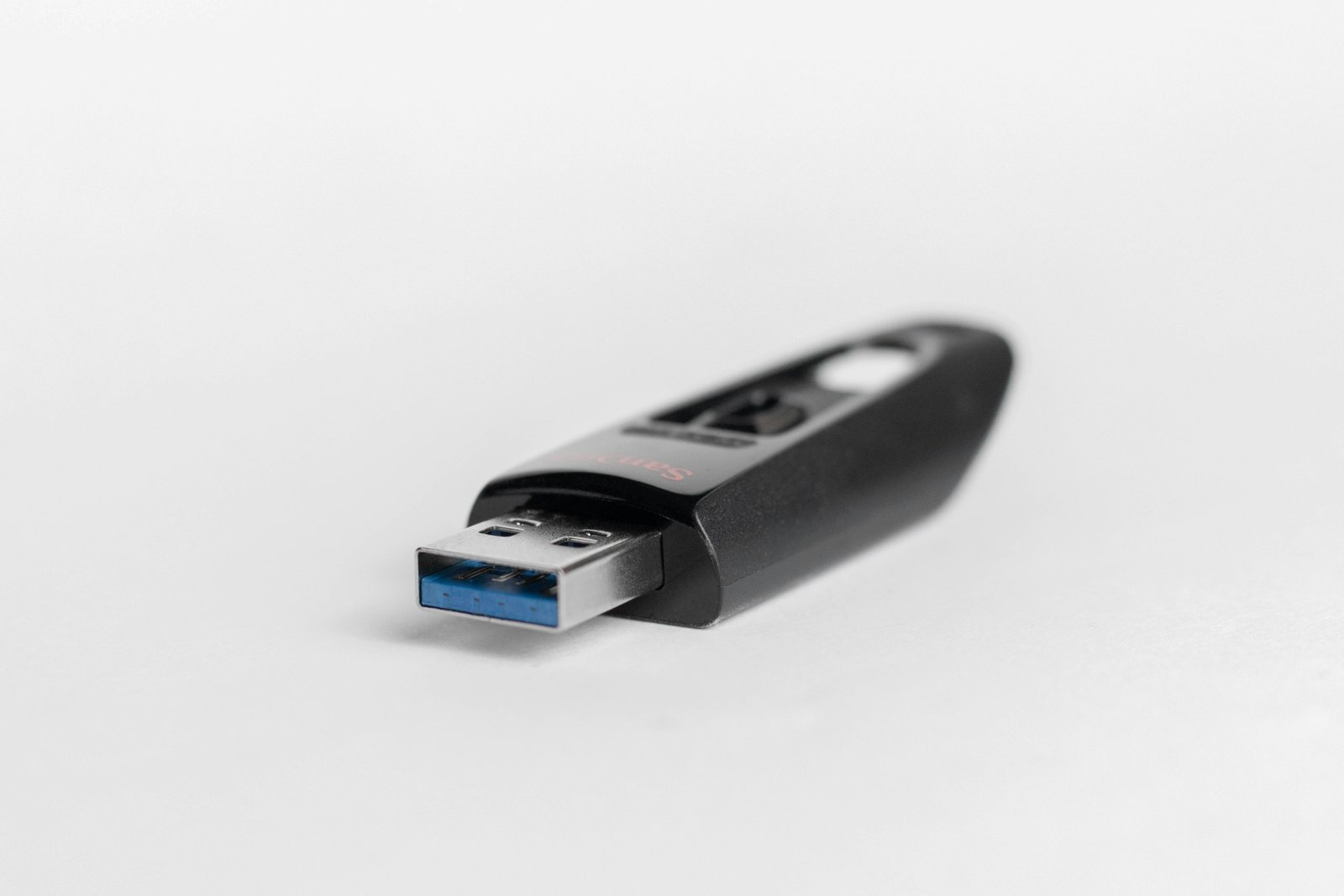
The Innocent Flash Drive: How a USB Stick Almost Destroyed a Company
USB drop attacks are one of the most deceptively simple yet devastatingly effective cyberattack methods used by hackers today. This scenario explores how a single found flash drive can compromise an entire corporate network in minutes.
USB drop attacks are one of the most deceptively simple yet devastatingly effective cyberattack methods used by hackers today. This scenario explores how a single found flash drive can compromise an entire corporate network in minutes.
The Monday Morning Discovery
Khalid Mansour arrived at the Gulf Logistics Solutions headquarters on a quiet Monday morning, coffee in hand, ready to tackle a week of inventory reports. As he crossed the parking lot, something caught his eye near the entrance — a sleek black USB flash drive lying on the ground, as if it had fallen from someone's pocket.
He picked it up and turned it over. A small label on one side read: "Q3 Salary Review — Confidential". Khalid's pulse quickened. Salary information? He glanced around. Nobody seemed to be looking for it. He slipped it into his pocket.
At his desk, curiosity got the better of him. What if it belongs to HR? What if someone needs it urgently? He reasoned that plugging it in to identify its owner was actually the responsible thing to do. He inserted the drive into his workstation's USB port.
The second Khalid plugged in the drive, Windows Auto-run silently executed a file called
SalaryList_2024.pdf.exe disguised with a PDF icon. Within 30 seconds, a remote access trojan had installed itself, established an encrypted connection to an attacker's server in another country, and began quietly mapping the internal network — all without a single pop-up or warning.The drive appeared to contain nothing — just a corrupted folder that wouldn't open. Khalid shrugged, pulled out the drive, and got on with his day. He forgot about it entirely.
Three Weeks Later
The company's IT security team received an alert from their SIEM system flagging unusual outbound data transfers occurring every night between 2:00 AM and 4:00 AM. When forensic investigators traced the source, it led directly back to Khalid's workstation — and through it, to six other machines across three departments.
The attacker had used Khalid's credentials to move laterally across the network, accessing the company's ERP system, financial records, and a shared drive containing contracts with government clients. By the time the breach was fully contained, over 47 gigabytes of sensitive data had been exfiltrated.
According to a study by the Ponemon Institute, 98% of people who find a USB drive in a public place will plug it into their computer. IBM Security research found that USB-based attacks increased by 52% in a single year, with an average breach cost exceeding $4.5 million USD. In one famous case — the Stuxnet attack — a single USB drive caused millions of dollars in damage to industrial infrastructure.
The Attacker's Playbook
What Khalid didn't know was that the attack had been meticulously planned. The attacker — a corporate espionage operator hired by a competitor — had spent two weeks researching Gulf Logistics Solutions on LinkedIn. They identified the office location, studied employee behavior patterns, and crafted the USB bait to be irresistible to curious employees.
The label "Q3 Salary Review — Confidential" was deliberately chosen. People are naturally curious about salaries. The attacker had dropped five identical drives across different entry points to the building, knowing the odds were high that at least one would be inserted by an employee.
- BadUSB: Reprogrammed USB firmware that acts as a keyboard and types malicious commands
- USB Killer: Devices that physically destroy hardware by sending power surges
- O.MG Cable: Malicious charging cables with hidden Wi-Fi modules that execute payloads
- Rubber Ducky: A device that mimics a keyboard to execute pre-programmed keystroke attacks in seconds
Khalid cooperated fully with the investigation. He was not fired — the company recognized this was a training failure, not a personal one. But the incident cost Gulf Logistics Solutions an estimated AED 2.3 million in forensic investigation, regulatory fines, and client notification costs. One major government contract was not renewed.
Khalid now leads monthly security awareness sessions at his company. His opening line is always the same: "The most dangerous thing I ever did at work cost me nothing and took three seconds. It nearly cost the company everything."
Understanding and Preventing USB Drop Attacks
USB drop attacks exploit one of the most powerful forces in human psychology: curiosity. They require no phishing email, no malicious website, and no technical sophistication from the victim. Your best defense is knowledge, policy, and habit.
How USB Attacks Work: The Attack Chain
| Stage | What the Attacker Does | What the Victim Experiences | Time to Compromise |
|---|---|---|---|
| 1. Reconnaissance | Studies the target organization, identifies entry points | Nothing visible | Days to weeks |
| 2. Baiting | Drops labeled USB drives near target locations | Employee finds "lost" drive | Minutes |
| 3. Execution | Malware auto-executes or employee opens fake file | Nothing visible — or a corrupted file message | Under 60 seconds |
| 4. Persistence | Malware establishes backdoor, disables logging | Slight slowdown, if anything | Minutes |
| 5. Exfiltration | Steals data, moves laterally across network | Unknown until forensic alert | Days to weeks undetected |
Your USB Security Checklist
- Never plug in unknown USB devices — regardless of where you found them or what the label says
- Report found devices to your IT security team immediately — do not insert them "just to check"
- Use company-approved USB drives only — encrypted, IT-issued devices for legitimate data transfer
- Disable AutoRun/AutoPlay on all workstations (IT policy should enforce this via Group Policy)
- Never charge personal devices on company computers via USB — use a wall charger instead
- Lock your workstation when away from your desk to prevent physical USB attacks by insiders
- Be suspicious of gifts — free USB drives given at conferences or in branded giveaway bags can be weaponized
Treat every unknown USB device the way you would treat an unmarked package left at your door. The correct response to finding a USB drive is simple: pick it up, do not plug it in, and hand it to IT Security. Your curiosity is not worth a multi-million dollar data breach. When in doubt, throw it out — or hand it over.
What IT Teams Should Implement
- Endpoint controls that block or whitelist USB devices by hardware ID
- Data Loss Prevention (DLP) solutions monitoring USB activity
- Regular physical security awareness drills including USB drop simulations
- Clear, enforced policies on personal device usage in the workplace
Unlock This Scenario & Quiz
The Free plan includes 3 scenarios. Upgrade for full access to every scenario and quiz.
⬆️ View Plans